Service
Get off WordPress without losing what your site has earned.
Most people don't leave WordPress because they hate it. They leave because the updates keep breaking things, the plugin renewals keep arriving, and the site keeps getting slower. The thing stopping them is the fear of losing years of Google rankings on the way out. That fear is reasonable, and it's the part of this job I take most seriously.
"Will I lose my Google rankings?"
It's the first question everyone asks, so here's the honest version. Rankings get lost when URLs change and nothing tells Google where things went. Keep the addresses and the content intact and there's nothing for Google to lose track of. That's the whole job, and it's done before launch, not repaired afterwards.
Every URL mapped
I crawl the existing site first and build a complete list. Each old address either stays exactly as it is, or gets a permanent redirect to its replacement. Nothing is left to chance.
Content comes across whole
Pages, posts, images, titles, meta descriptions, alt text. The words that earn your rankings are the words that arrive on the new site.
Faster than before
Hand-coded pages without a plugin stack are dramatically lighter. Speed is a ranking factor and a conversion factor, so this is the one thing that usually moves in your favour.
Built on staging first
Your live site carries on untouched while the new one is built and checked. You see it, click round it and approve it before anything switches.
Sitemap and Search Console
New sitemap submitted on launch day so Google recrawls quickly rather than finding out slowly.
Watched afterwards
I keep an eye on Search Console for the weeks after launch. If a URL got missed it shows up as a 404 and gets fixed the same day.
Straight about the evidence: neither job below started life on WordPress, so I won't dress them up as migrations. What they show is the part that decides whether one goes well. Wiltshire Psychology was a 20-year-old hand-written PHP site where every URL, heading and piece of content stayed exactly where it was, and the live site was never touched until the staging copy had been approved. PTSD Resolution shows the SEO structure I build in from the ground up: clean URL hierarchy, unique titles and metadata, structured data and a generated sitemap.
What you're actually leaving behind.
Update roulette
Twelve plugins, each updating on its own schedule, any one of which can take down a page you'd not thought about in a year.
The renewal pile
Premium theme, form plugin, SEO plugin, backup plugin, security plugin. Individually small, collectively a standing order you never agreed to.
Being a target
WordPress runs a huge share of the web, which makes it worth attacking at scale. Most break-ins come through an out-of-date plugin rather than anything you did wrong.
Page builder sludge
Nested rows and columns generating a page weighing several megabytes, which is why the site feels slow on a phone in a car park.
How a migration actually runs.
Step one
Survey, quoted on its own
Crawl the site, list every URL, note what each page does and which plugins are load-bearing. It's a small piece of paid work in its own right, and you keep the findings whether or not you go ahead. Nobody can price a migration honestly before it's done.
Step two
Rebuild
Content migrated, pages rebuilt hand-coded, forms and integrations rewired, all on staging while the live site carries on.
Step three
Switch
Redirects in place, sitemap submitted, DNS moved at a quiet hour. Usually nobody visiting notices anything except the speed.
Step four
Watch
Search Console monitored for crawl errors and coverage. Anything missed gets caught early rather than in three months.
Still need to edit your own content afterwards? That's the usual second question, and the answer is a bespoke CMS with your pages in it and none of the clutter you're leaving behind.
When you should stay on WordPress.
Moving isn't automatically right, and I'd rather tell you that at the first conversation than halfway through a quote.
It's working fine
A tidy WordPress site with a handful of plugins, loading quickly, that somebody keeps updated. If that's yours, leave it alone.
You lean on the ecosystem
Heavy WooCommerce setups, membership plugins or LMS platforms represent years of plugin development. Replacing all of that is a big build, not a migration.
Someone else edits it daily
A team that already knows the WordPress admin and publishes constantly has real switching costs. Worth weighing against what you'd gain.
Hundreds of page-builder pages
Elementor, Divi and WPBakery don't store your pages as clean content, they store builder markup. A handful of pages is fine. Several hundred means rebuilding each one by hand, which is a redesign wearing a migration's clothes, and I'd price it as one.
I'll move you off WordPress. I won't patch it.
Worth saying plainly, since you'd work it out soon enough anyway. I don't work in WordPress. I've hand-coded sites in PHP, and latterly Laravel, since 1999, and that's where my experience genuinely is. So if your site went down this morning, or something broke after an update, the right person to call is someone who lives in WordPress every day. They'll have seen your exact problem a dozen times. I'd be learning on your emergency and invoicing you for the privilege, and I'd rather tell you that than find out together.
Moving you off it is a different job, and it happens to be the one I'm actually equipped for.
A migration isn't WordPress work
It's four things: crawl the site, map the URLs, lift the content out of the database, rebuild the pages properly. Three of those have nothing to do with WordPress, and the fourth is reading a database table. The skill goes into what replaces it, which is the part I've been doing for twenty-five years.
A repair buys time, not a fix
Patching whichever plugin broke this time gets you to the next update. Nothing about why it keeps happening has changed, so the same call comes round again in six months, with another invoice attached.
Afterwards there's nothing to break
No plugins means no plugin updates, and no update roulette. You end up needing a developer when your business changes, which is a much better reason than a Tuesday morning white screen.
Migration questions.
Will I lose my Google rankings?
Not if the move is done properly. Rankings are attached to URLs and content, so every URL is either kept or permanently redirected, and your content and metadata come across intact. Search Console gets watched afterwards so anything missed is caught in days rather than months. I can't promise Google will never move anything on its own, but a careful migration removes the reason for it to.
What happens to my blog posts?
They come with you, including images, categories, dates and URLs. WordPress exports cleanly, which is one of the genuinely good things about it.
Will I still be able to edit my own pages?
Yes, if you want to. Most migrations include a bespoke CMS holding just your content, which is usually a relief after the WordPress admin. If you barely edit the site, we can skip it and I'll handle changes on request, which works out cheaper.
How long does it take?
It depends almost entirely on page count and how much custom plugin behaviour needs rebuilding. A small brochure site is a short project, a hundred-page site with forms and integrations is a longer one. The survey comes first precisely so the answer is a real number rather than a guess.
What about my WooCommerce shop?
Straightforward shops move well onto a custom build with Stripe. If you're running a dozen WooCommerce extensions with years of configuration, be honest with yourself about whether that's a migration or a fresh e-commerce build, because the pricing is different. I'll tell you which one you're looking at.
Can you just fix my WordPress site instead?
Honestly, no, and you'd be better served by someone who can. I don't work in WordPress day to day, so on a broken install I'd be slower and less certain than a WordPress specialist, and you'd be paying for my learning curve. Building the replacement and moving you across is squarely what I do, so that's what I offer. If a repair is what you need today, get a WordPress person to do it, and talk to me when you're tired of having the same conversation every six months.
Do I have to change hosting?
Probably, since a Laravel site needs slightly different hosting to a typical WordPress package, and it's usually cheaper. The account stays in your name either way. I don't resell hosting or hold your domain.
Testimonials
What people say.
Don't just take my word for it. Here's what clients and colleagues have to say.
"Unlike some other companies we spoke to, he never tried to upsell unnecessary features."
Chris
On behalf of Dr Lynda Parnham, Wiltshire Psychology Service
"The whole process was smooth, easy and worry free. I was impressed how quickly the project was completed."
Karen Hartland
Director, Belviston Developments
"I felt an enormous relief finding that person who I could totally trust to promote my business and very much to the same standards I'd set myself to make a success of my business."
Tim Verrall
Managing Director, Xcellence-DS
Portfolio
Recent builds
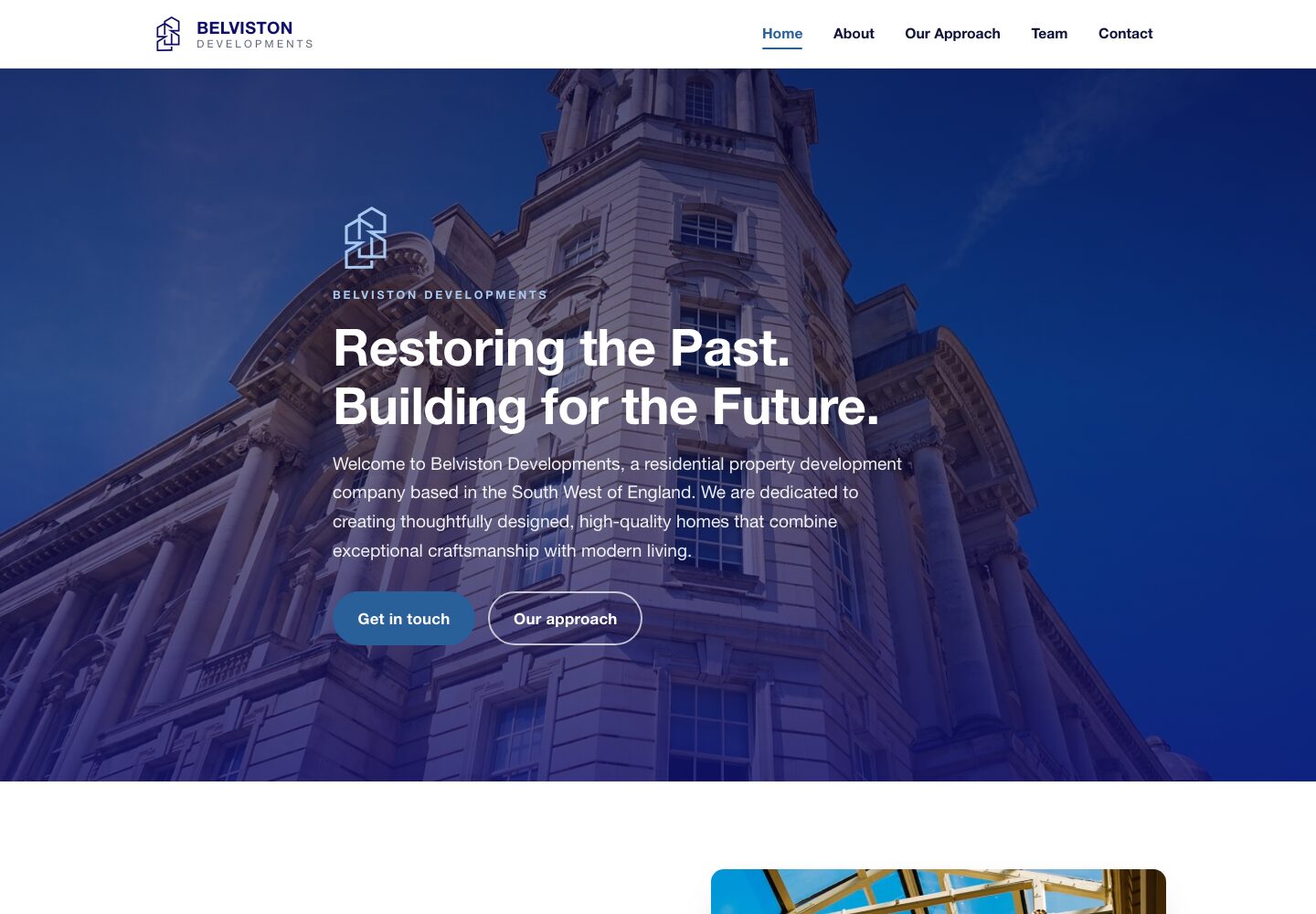
Belviston.co.uk
A property developer stuck with a hosting company's website builder. Two design directions to choose from, and a bespoke site she owns outright, live inside a week.
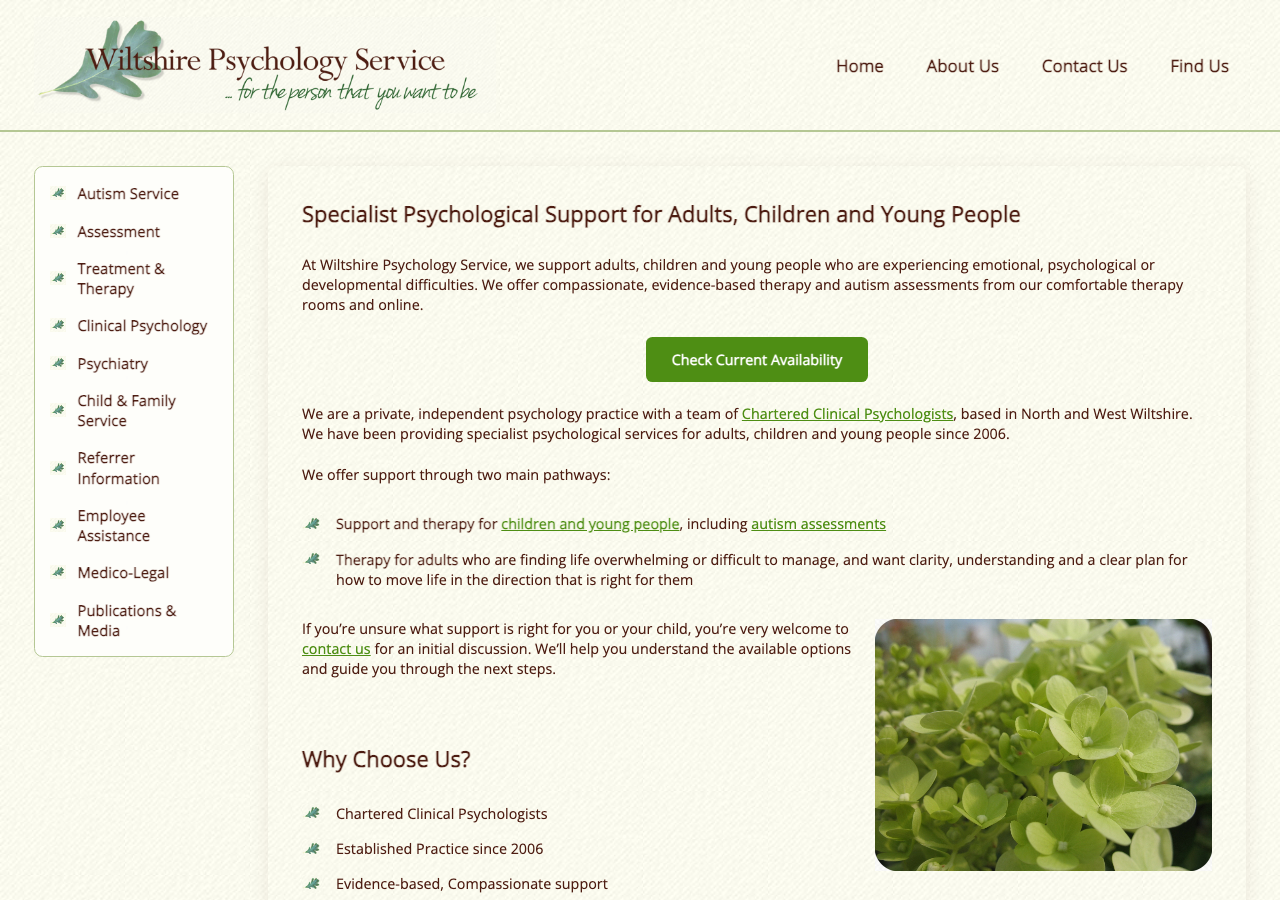
WiltshirePsychology.co.uk
A careful mobile-responsive retrofit of a 20-year-old psychology practice website. Same URLs, same hosting, zero SEO disruption, delivered ahead of schedule and under budget.
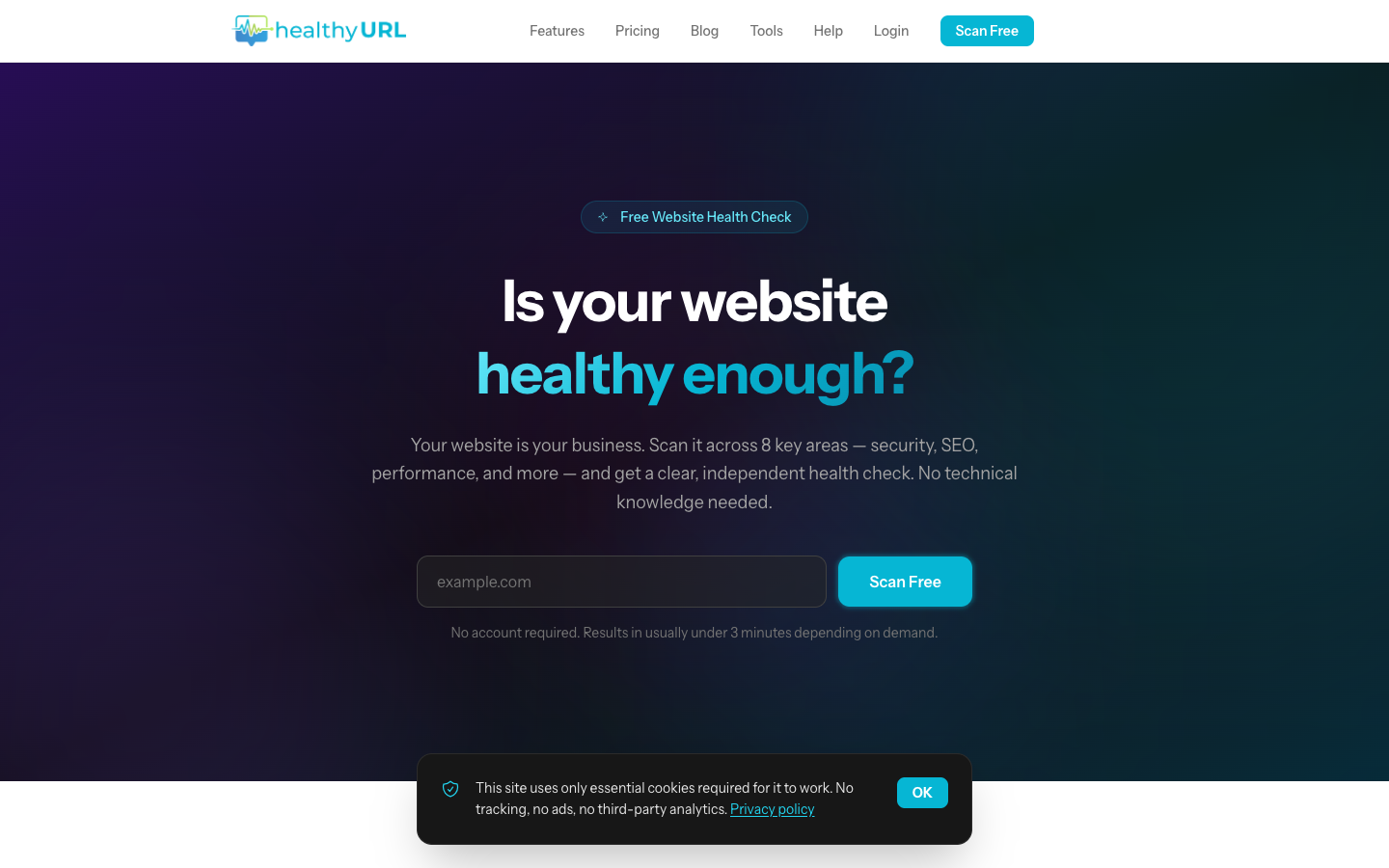
HealthyURL.co.uk
An AI-powered website audit platform. Scan any site across 8 categories, get AI-generated fix guides, and track repairs over time.
Send me your web address.
I'll look at what you've got and tell you honestly whether moving is worth it.